
>Ever wondered how to create files without using a single click of mouse?
Chances are if you have been familiar with command prompt,you may know this.
Example :
Let’s make a simple text file named hello.txt,save it and list it contents – all of this without using a mouse.
Here is how :
1.Launch command prompt (Start > Run > cmd.exe)
2.Type the following command : copy con filename.extension ,in this case I have used hello.txt,so the command will be copy con hello.txt

3.Notice that the cursor moves to next line but screen doesn’t really display anything,it is because the file is created and now is open for editing.Type random stuff or relevant stuff whatever you need.
4.To save the file contents,press Ctrl – Z,the ^Z appears on screen and indicates the file is now saved.
5.To display the contents of this file,just issue the command : type filename.extension ,in this case type hello.txt
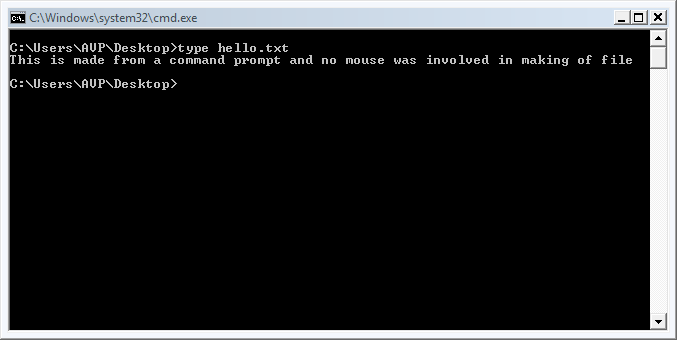
6.This lists the entire contents of the file.
All of the above without using mouse,I am sure this can be a neat party trick of sorts.
If you are enterprising,maybe you can use a batch file and make a bunch of files thereby wow-ing the audience. 🙂
Happy command prompt-ing.