
Here is a simple way by which the entire detailed system information can be viewed with just a click.
To do this,we just need to make a desktop shortcut pointing to system info.
Here is how :
1.Right click on desktop and select New > Shortcut.
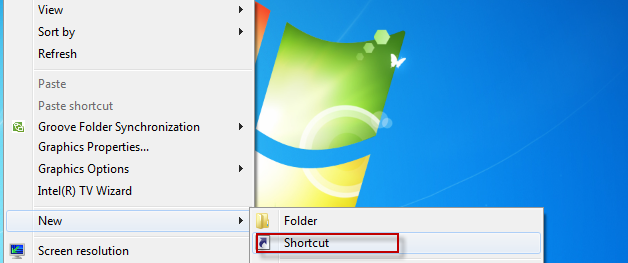
2.In the path for shortcut,type : C:WindowsSystem32msinfo32.exe


3.Click Next and then after naming it something appropriate like System Info hit Finish.

Notice that an icon similar to My Computer now shows up on desktop which on clicking will show all the information related to system.

Cheers.