
>Before Vista it was possible to share the root drive with a $ sign like C$,D$ and so on but the advanced sharing in Vista and later versions doesn’t really require that.
In order to directly share a root drive (a root drive is the drive referenced directly without any specific folder or file in it),make sure you have admin rights and follow the below steps:
1.Go to Computer (double click the icon from desktop).
2.Right click the root drive to be shared (C: in this case) and select Share.

3.Go to Sharing tab and select the Advanced Sharing option.
4.Specify the name by which the drive is to be shared,also set the limit to number of users that can access it along with the desired permissions.
(Do make sure that permissions are set up correctly,the better way is not to really share the entire root drive but only the specific folders on it thereby ensuring granular access)
Notice that the UNC path will now be of format \computernameshareddrivename
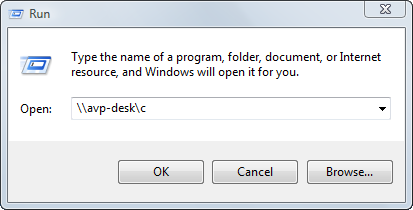
Try to check if the drive really opens through above syntax by going to Start > Run > Full UNC path
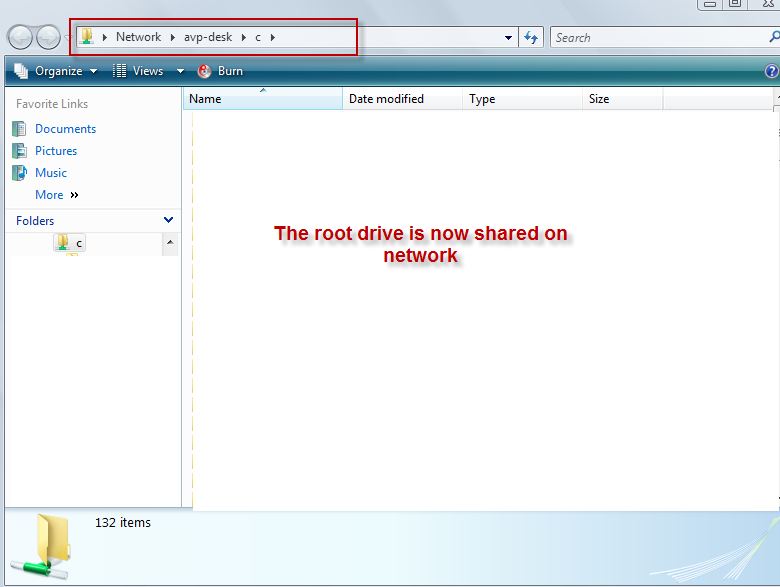
In this example ( \\avp-deskc) which opens up the drive contents.
Happy sharing.